Imagine front desk staff having a patient’s name, address, account balance, next appointment details, appointment history (including failures to attend) , whether or not the patient has a medical card (and if they have, how many fillings they are eligible for) in full view before picking up the phone to answer a call from that patient.
All that before even saying hello.
That’s what the addition today of caller id functionality to Panara gives you.
We discussed putting this feature in the program last May in Galway and the biggest delay has been sourcing a suitable modem.
Try asking, as I did many times, for a modem with caller id functionality in a computer supply shop and you’ll be met with a vacant gaze followed quickly by a request for your name and number so they can get back to you. Nobody called.
Eventually I came across this Zoom modem (model 3095) which is an external USB modem.
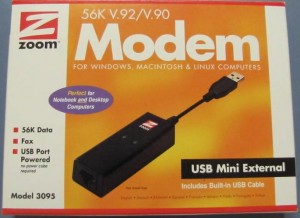
zoom modem
If you can’t get one locally then there are usually vendors on ebay willing to ship to Ireland. Total cost should be under €50. One modem per practice will be required.
Installing the modem is pretty straightforward, you just need to install the driver from the accompanying CD before attaching the modem to the computer.
The instructions are on an enclosed leaflet.
A length of telephone cord is supplied to connect the modem to the landline but if you buy your modem from the UK (as I did) you’ll probably end up with a cord with a UK plug on one end (as I did.)
If you buy locally or from the US you’ll be fine as they, like us, use RJ11 telephone plugs.